
Where to download SketchUp plugins
Extension Warehouse is the first place to look for a SketchUp plugin because listings are tied to the SketchUp extension ecosystem and normally identify the developer, description, compatibility and license. Some established developers distribute through their own sites or through SketchUcation PluginStore, especially when an extension depends on shared libraries such as LibFredo6.
A plugin download should not be judged only by whether an RBZ file is available. Confirm who publishes it, which SketchUp releases it supports, whether it is free, trial or paid, and whether another library is required. Avoid pages offering cracked commercial extensions or bundles with dozens of unknown RBZ files.
How to evaluate a SketchUp plugin download
Start with the publisher. A trustworthy listing names the developer and links to documentation, support or a known extension profile. Read the change log and confirm the latest update supports your SketchUp major version. A plugin written for SketchUp 2017 may still load, but changes to Ruby, scene operations, signing or operating-system components can make it unreliable in SketchUp 2026.
Next, review the license. Free does not always mean unrestricted redistribution, and a trial is not permission to replace a license file. Rendering engines, profile tools and commercial productivity suites often use account activation. Download them from the vendor so updates, dependencies and support work correctly.
- Match the publisher name with an official profile or website.
- Read supported SketchUp versions before installing.
- Confirm required libraries and install them from the same trusted ecosystem.
- Understand whether the extension is free, trial, subscription or perpetual.
How to install an RBZ extension
For a manually downloaded RBZ, open SketchUp, go to Extension Manager, choose Install Extension and select the RBZ file. Do not extract it unless the developer documentation specifically says to do so. Restart SketchUp when the extension or its dependency requires a new session, then locate the toolbar, menu item or settings described by the developer.
If SketchUp warns about an unsigned extension, do not lower the security policy automatically. Return to the source and confirm the package is current and expected. Organization-managed computers may block extension installation, and an administrator may need to approve the publisher or deploy the extension centrally.
- Keep the RBZ intact for normal Extension Manager installation.
- Install shared libraries before plugins that depend on them.
- Restart SketchUp after installation when requested.
- Remove duplicate old copies if the developer's troubleshooting guide recommends it.
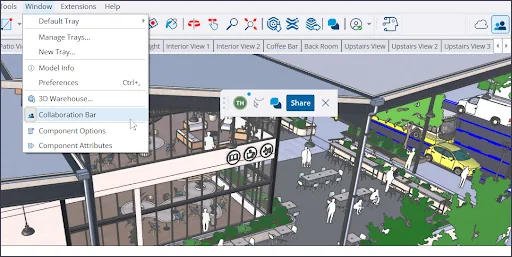
Popular SketchUp plugin searches
Search demand often centers on Fredo6 tools such as TopoShaper, Bezier Spline, FredoScale and Tools on Surface; commercial workflow products such as Profile Builder, Transmutr, Enscape and V-Ray; and utility extensions for copying, surfaces, stairs or terrain. These names represent different developers and license models, so there is no legitimate universal plugin pack.
TopoShaper and several Fredo6 tools are commonly obtained through SketchUcation and may require LibFredo6. Enscape and V-Ray are professional rendering products distributed by their vendors. Transmutr and Profile Builder use their own commercial distribution and activation. Always use the latest documentation for your SketchUp release rather than following an old video that links to a re-uploaded archive.
- Terrain: TopoShaper and related surface tools.
- Curves: Bezier Spline and path utilities.
- Model transformation: FredoScale and surface operations.
- Rendering: Enscape or V-Ray from the official vendor.
- Assets and conversion: Transmutr, Profile Builder and specialist workflow tools.
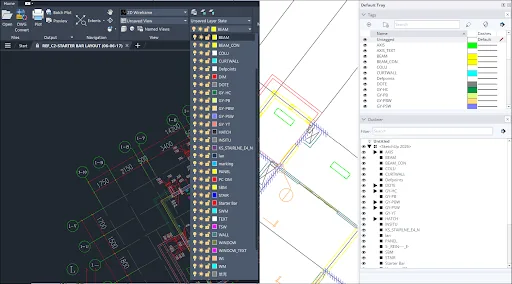
Fix plugin installation and compatibility problems
When a plugin does not appear, confirm that it was installed in the SketchUp version you are actually launching. Major releases use separate application and extension environments. Check Extension Manager for disabled entries, read the Ruby Console only when the developer asks for error details, and update required libraries before reinstalling the main plugin.
For crashes or missing toolbars, remove duplicate legacy copies, reset the workspace according to the developer's guide and test in a clean model. Rendering extensions also depend on graphics drivers and supported operating systems. If a plugin is critical to production, keep the previous supported SketchUp release until the vendor confirms the current one.
- Verify the active SketchUp major version.
- Check Extension Manager status and signing warnings.
- Update dependencies from the original publisher.
- Use developer support for licensing and crash logs.
SketchUp plugins download checklist
Use this SketchUp plugins download checklist when a search result offers the same extension from several websites. Match the developer name, extension version and license with Extension Warehouse or the publisher's official download page. Check the supported SketchUp releases, operating-system requirements, shared libraries and update date before saving an RBZ or vendor installer.
The SketchUp plugins download checklist also applies to free plugins. Free plugins can still be outdated, redistributed without permission or bundled with unrelated files. A normal RBZ download and installation should not require an unknown download manager, browser extension, password-protected archive or activation patch. Commercial plugins should use the developer's own download, trial and licensing system.
For a team, record the approved download source and version for every production extension. Test plugin updates in a copied model, keep required libraries aligned and deploy plugins only after the current SketchUp release is supported. Reusing this SketchUp plugins download checklist makes plugin failures easier to diagnose and prevents different users from installing incompatible copies under the same toolbar name.
- Publisher identity matches an official listing or website.
- The current SketchUp major version is explicitly supported.
- Dependencies and license terms are documented.
- The package contains only the expected RBZ or vendor installer.
Popular SketchUp plugin source checklist
Use the source type and license as a decision guide; confirm the current listing before downloading.
| Plugin or family | Typical purpose | Preferred source | License note |
|---|---|---|---|
| TopoShaper / Fredo6 tools | Terrain, curves and modeling utilities | SketchUcation developer listings | May require LibFredo6; terms vary |
| Enscape | Real-time rendering | Enscape / Chaos official site | Commercial trial or license |
| V-Ray for SketchUp | Professional rendering | Chaos official site | Commercial trial or license |
| Transmutr | Asset and model conversion | Transmutr official site | Commercial product |
| Profile Builder | Parametric profiles and assemblies | Mindsight Studios official source | Commercial product |
| Extension Warehouse tools | General modeling and workflow | extensions.sketchup.com | Check each listing |
SketchUp plugin download FAQ
Where should I download SketchUp plugins?
Start with Extension Warehouse. Use SketchUcation or the developer's official website when the extension is distributed there.
How do I install an RBZ file?
Open Extension Manager in the desktop application, choose Install Extension and select the intact RBZ file. Follow developer instructions for dependencies and restarts.
Are SketchUp plugins free?
Some are free, some are trials and others require a paid license or subscription. Read the current publisher terms for each extension.
Why does a plugin not work in SketchUp 2026?
It may need an updated release, shared library or API change. Check the developer's 2026 compatibility statement before copying an older installation.
Can I download cracked SketchUp plugins?
This site does not provide or recommend cracked commercial extensions. Modified packages can contain malware, break updates and violate developer licenses.
What is LibFredo6?
LibFredo6 is a shared library used by several Fredo6 extensions. Install the version required by the plugin from the trusted SketchUcation source.
Official sources checked
We verify download and support details against first-party SketchUp and Trimble pages. External sources open in a new tab.
- SketchUp Extension Warehouse — official extension catalog
- Installing Extensions — official installation guidance
- SketchUcation PluginStore — independent developer community catalog